
Kaptive Editor
One editor for all your visual communications.
Create interactive touchscreens and dynamic displays directly in your browser and publish to any connected screen in seconds.
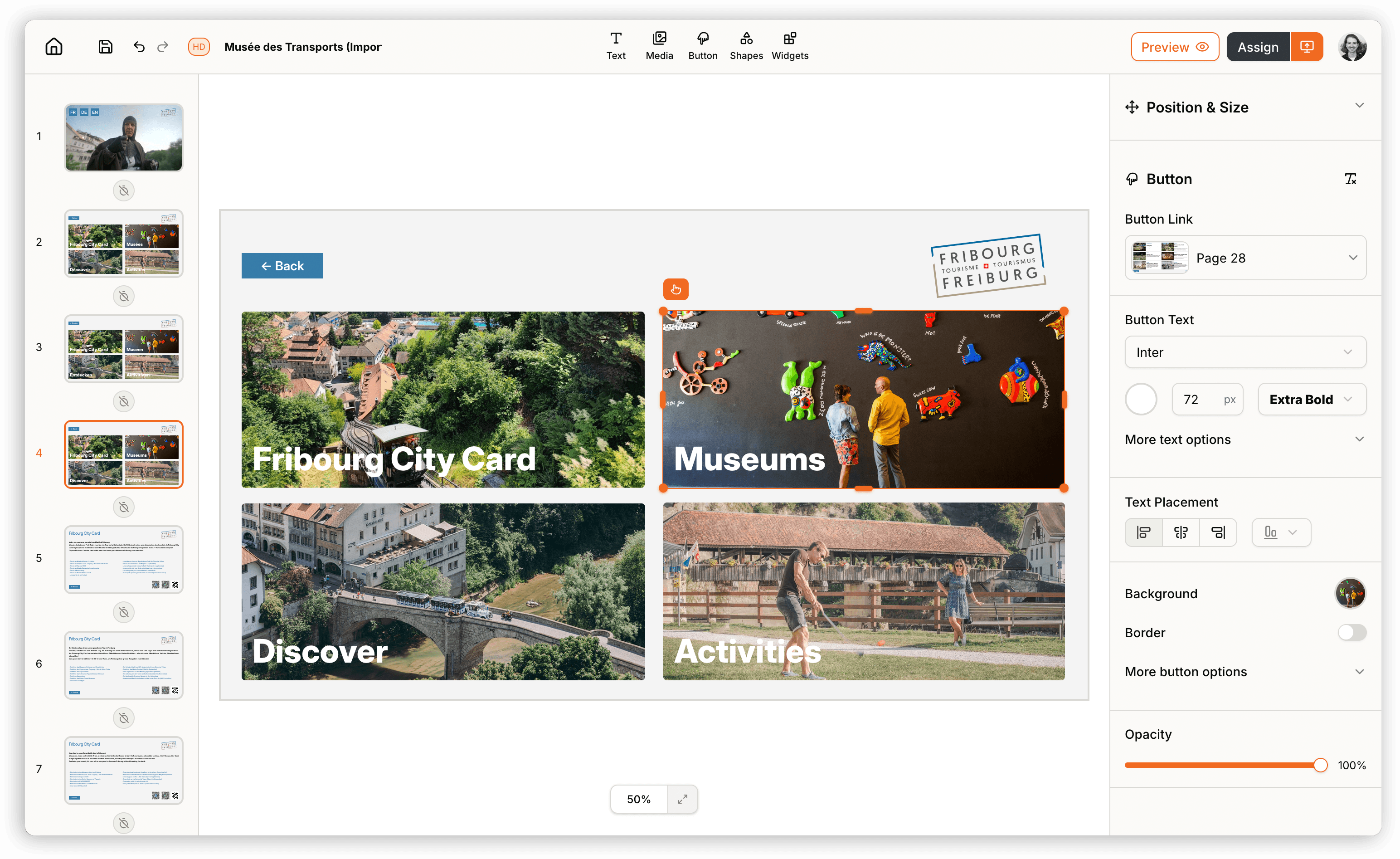
Create all types of digital content
One editor for interactive museum kiosks, digital restaurant menus, emergency displays, and everything in between.
Familiar from the StartThe Kaptive Editor works like the presentation and design tools you already know. Drag Content Elements onto the canvas, resize and align them. If you have ever built slides or layouts, you will feel at home immediately.
Interactive and DynamicBuild touch-native interactive Projects for museum visitors, or simple dynamic displays for menus and timetables. The same editor handles both.
Every Content FormatText, images, videos, PDFs, QR codes, 3D models, and live web pages are all available directly in the Editor. No external tools needed.
Multi-Page ProjectsEach Project can have as many Pages as you need, whether for interactive kiosks with navigation, multilingual exhibitions, or scheduled screen sequences. Everything in one interface.
Project TemplatesStart from a library of ready-made templates for dynamic digital signage and interactive screens. Pick a template, customise it in the Kaptive Editor, and publish in minutes.
WidgetsThe Kaptive Editor is continuously expanded. New widgets and Content Elements are added regularly to open up more ways to build screen content.
Export as PDFAny Project can be exported directly from the Kaptive Editor as a PDF. Useful for layouts that need to be printed or shared digitally.
Screens, Flyers, and PostsThe Kaptive Editor is not limited to screens. Projects can be exported as PDF for printing or adapted for social media posts. One editor for every output.
Embed in WebsitesAny Project can be embedded via iframe into an existing website. Interactive elements, exhibitions, or information kiosks can be added to web projects without any extra development.